The HR Tasks That Eat Up the Most Time (and What To Do About Them) (and How to Fix It)
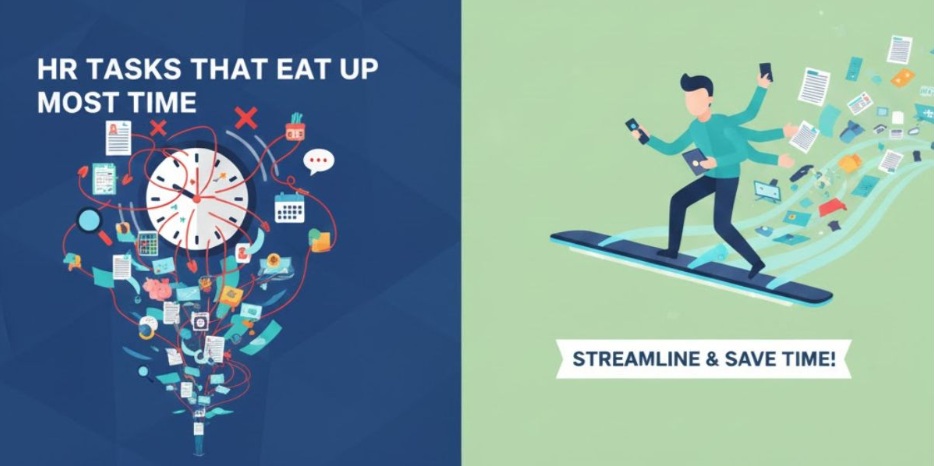
Time is a precious asset. HR teams know this better than anyone, as they often have to manage a lot of work in a short space of time. When they lack the time to focus on their people, attrition arises, engagement lowers, and recruitment slows. HR is increasingly expected to deliver business value and support growth, but inefficiencies get in the way. These small inefficiencies add up when your team spends time chasing approvals, updating spreadsheets, or repeating manual tasks. Together, they quietly consume days of valuable time and leave HR too busy to focus on strategic priorities that drive success.
According to ADP, 55% of HR decision makers feel they are spending too much time on administrative tasks, which prevents them from investing time into more strategic work and projects – the work that drive engagement, retention and, ultimately, revenue.
This is where software that enables automation can help – digitizing processes to allow them to run almost on their own! Need some examples? Here are 6 time-consuming tasks that HR teams could clear off their desk with ease.
6 HR Tasks That Eat Up the Most Time
1. Growing Productivity & Culture
In any given organisation, important events happen nearly every single day. Birthdays, performance chats, contracts ending, and so much more!
For that reason, reminders are one of the most used types of automation – because they can be set individually or by default to suit a multitude of purposes.
Some of these reminders may include:
- Birthdays - For sharing congratulations (and maybe even a gift or two)
- Contract End Dates - To prepare a seamless (and ideally automated) offboarding
- End of Probation - For scheduling feedback and performance conversations
- Hire Dates - So managers know when new employees are starting work
- Next Time Off - To review employee absences and prepare vacation handovers
- Last Salary Change - For managers to review salary changes and future upgrades
Essentially, without automation reminders, these updates sometimes don’t happen at all. And, missing an important event (even a personal one, like a birthday) can have a detrimental effect on workplace engagement – and, ultimately, productivity.
2. Making Sick Day Documentation a Breeze
Tracking down fit notes is hardly an HR team’s favourite task. But, in many cases, it is an absolute necessity to navigate the tricky world of sick leave.
We already know that tracking absences and all types of leave can be done easily with the help of automation. But, what about when doctors are involved?
When an employee wakes up not feeling their best, there is a stark difference between the process with and without automation:
|
Steps without automation: |
Steps with HRweb: |
|
1. An employee's absence occurring without being properly recorded in a system |
1. Employee begins by adding their absence period (whether it’s a day or two or the whole week) to HRweb software. |
|
2. At some point, HR receives a message from the employee, or their manager, about their illness |
2. The employee is reminded to upload their fit note, via PDF or their camera’s phone, to their HRweb profile (managers and HR receive the same reminder) |
|
3. During this time, the employees colleagues lack full visibility of their coworkers absence |
3. The certificate is stored securely, while the relevant employee’s manager (and potentially HR) is instantly notified |
|
4. HR following up with the employee to receive a sick note (either emailed or sent physically) |
4. Immediately after recording the absence, integrations with Slack and Microsoft Teams automatically update the employee's status to “Out Sick” until they return |
|
5. HR manually inputting the period of absence for the employee |
|
3. Amending Contracts with Pre-Built Templates
We have shared before how automation plays into creating contracts and getting them signed.
But, what happens when a change needs to be made? Whether it’s a quick fix or a complete review, here’s how it works:
Steps with HRweb:
- HR teams are able to pull from a library of templates that are fit for purpose when a change is needed
- Essential employee data is added automatically, while specific information (like salary or title changes) can be added individually
- The contract is then sent digitally to the employee for it to be signed using HRweb’s electronic signature function
- After signing, the contact is automatically and securely stored in the employee’s digital file, safe and sound
4. Accelerating Recruitment & Onboarding
Some of the most time-consuming tasks that cross HR’s desk involve recruitment and onboarding. After all, there are documents to be signed, access provided to tools, colleagues to be informed, and so much more.
With all that needs to be prepared for an employee’s first day (and even before then), there are a lot of boxes to check and not enough time in the day.
Many tasks in the recruiting and onboarding journey can be automated. Things like publishing job adverts to multiple pages at once with only one click, collecting candidate feedback automatically after an interview, signing contracts digitally or distributing onboarding tasks to relevant stakeholders at the push of button.
To save even more time, dive deeper into the role automation plays in recruiting and onboarding today.
5. Offboarding Departing Employees
Whether an employee resigns or is dismissed, it often requires a whole host of tasks that an HR team needs to make happen with immediate effect.
So, not only is time spent making sure everything is done – even more time is required to make sure it is done right. That way, confidential information within an organisation stays confidential.
6. Running Seamless Performance Cycles
Did you know that 54% of HRDMs agree that performance review processes are not fit for purpose in the new world of work? A majority of both HR professionals and employees agree: performance processes deserve a boost.
Therein lies the beauty of automated performance cycles. Once a cycle is launched, countless tasks are automated to ensure that employees and managers alike can focus on giving valuable feedback – and not paperwork.
Final Thoughts
The silent drain on HR’s time doesn’t have to be business as usual. By identifying where inefficiencies are eating up hours and deliberately investing in smarter tools and skills, you can reclaim capacity and reinvest it in the work that fuels growth. The choice is yours: continue losing a day each week to repetitive admin, or turn HR into a strategic accelerator that hires smarter, ramps talent faster, and keeps your best people engaged.
Frequently Asked Questions
1. What HR tasks typically consume the most time?
The most time-consuming HR tasks include recruitment and onboarding, payroll processing, attendance and leave management, employee data administration, compliance documentation, and performance evaluation workflows.
2. Why do recruitment and hiring take so much time for HR teams?
Recruitment involves multiple steps—job posting, screening resumes, scheduling interviews, coordinating with candidates and managers, and conducting assessments. Manual processes and high applicant volumes often slow down the cycle.
3. What can HR teams do to speed up the recruitment process?
Using applicant tracking systems (ATS), automated screening tools, and digital interview scheduling can significantly reduce manual work. Standardizing interview workflows also saves time and improves candidate experience.
4. Why is payroll one of the most time-intensive HR tasks?
Payroll requires precise calculations involving attendance, leave, deductions, reimbursements, statutory requirements, and error-free data entry. A single mistake can cause major compliance issues, making the process meticulous and time-consuming.
5. How can organizations streamline payroll processing?
Implementing automated payroll software, integrating attendance systems, and ensuring centralized employee data helps eliminate manual calculations and reduces errors.
6. What makes leave and attendance management so tedious?
HR often has to track attendance logs, leave balances, approvals, shift schedules, and compliance rules manually—especially if different departments use different systems.